Rider Miles
πŸ—ΊοΈ  Section Three
INSIDE
A RIDE
Open any ride and you get everything in one place β€”
details, attendees, photos, discussion, and your RSVP status.
πŸ“‹ Ride Info
πŸ‘₯ Attendees
πŸ“Έ Photos & Videos
πŸ’¬ Discussion
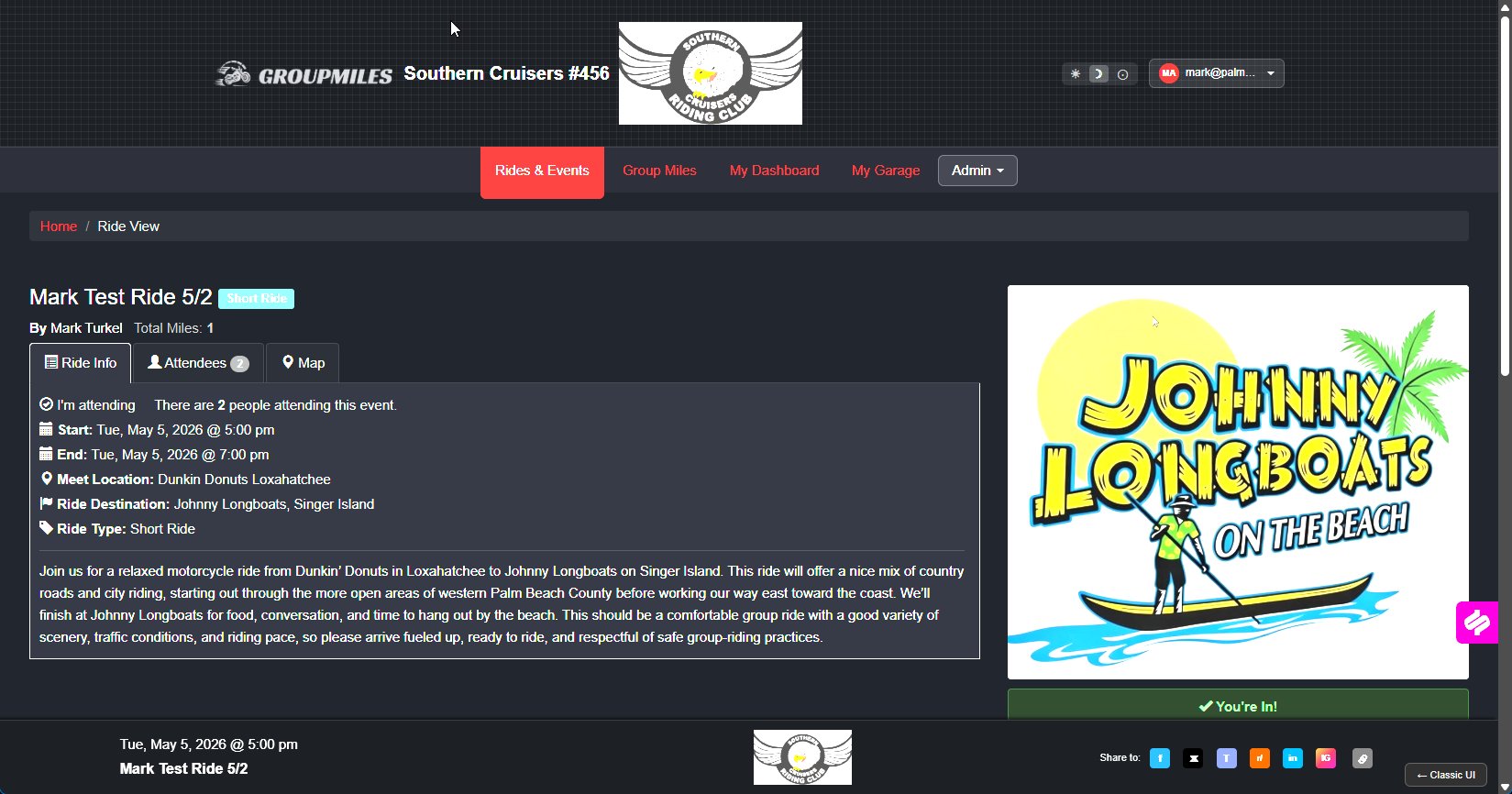
The Details Tab
Everything You Need to Show Up Ready
Ride Info
Attendees
Map
πŸ“…
Start & End Time
Know exactly when the group rolls out β€” no guessing.
πŸ“
Meet Location
Where to stage up before the ride departs.
🏁
Ride Destination
Where you're headed β€” plan your route accordingly.
πŸ“
Full Description
Route notes, pace expectations, and anything else the ride captain wants you to know.
Ride Info tab
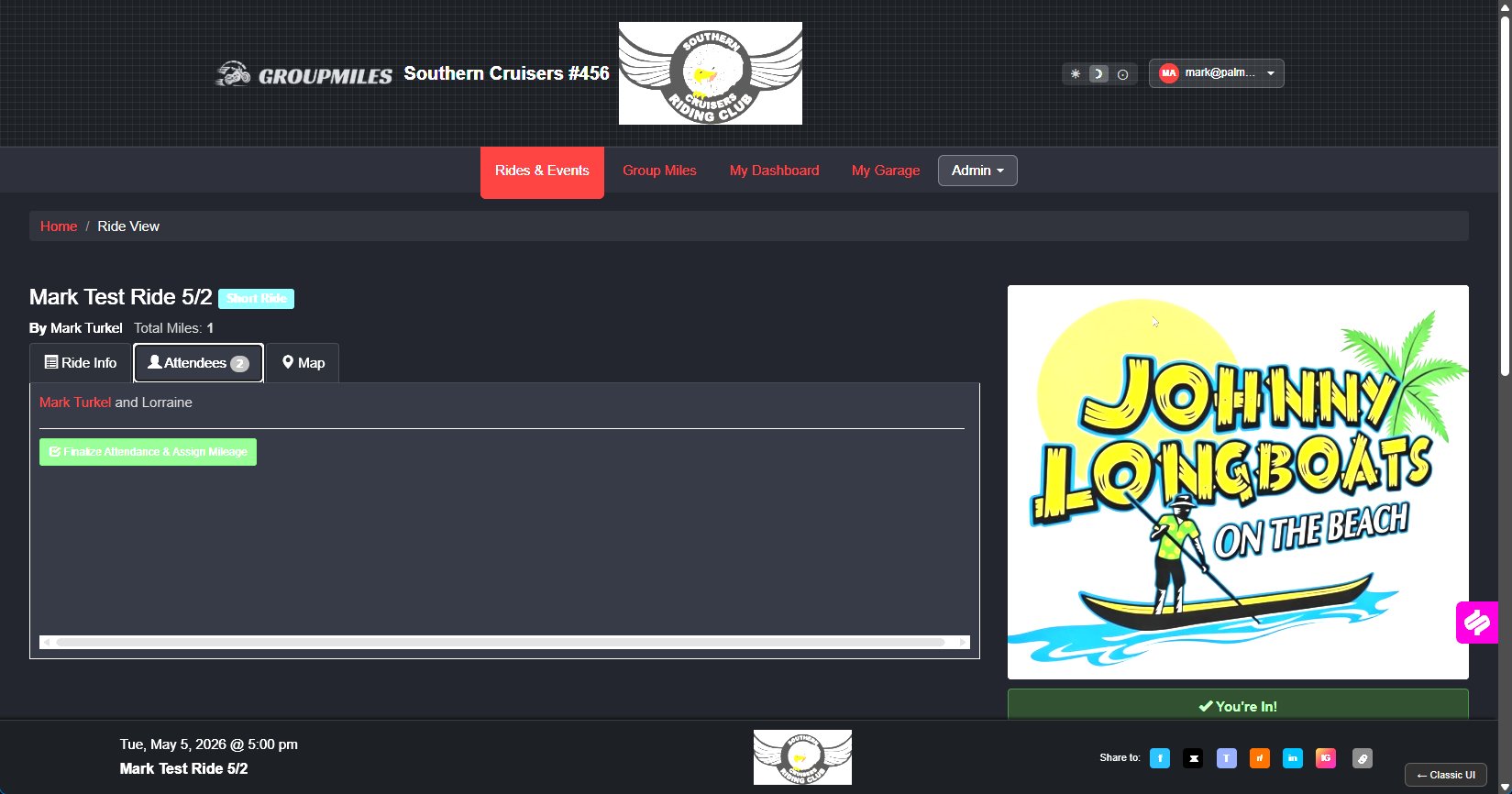
The Attendees Tab
Know Your Group
Ride Info
Attendees
Map
πŸ‘₯
Full Attendee List
See every member who has RSVP'd, including pillion passengers.
βœ…
Finalize Attendance
After the ride, one click locks in who actually showed up and assigns mileage credit to each rider.
πŸ†
Automatic Mileage Credit
Miles are added to each member's total the moment attendance is finalized β€” no manual entry needed.
Attendees tab
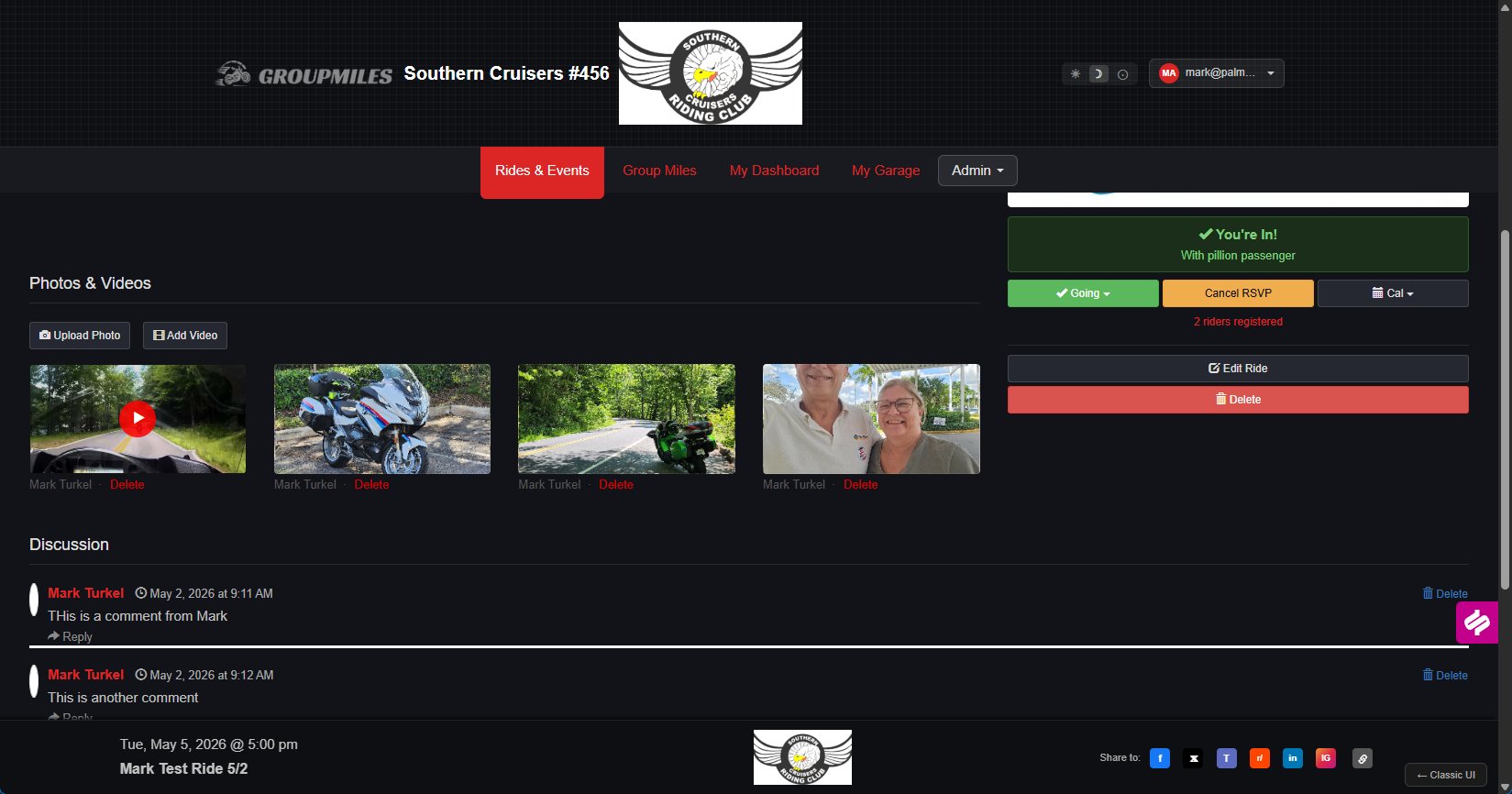
Photos & Videos
Share the Memories
Photos and videos
πŸ“Έ
Upload Photos
Any member can add photos directly to the ride β€” the album grows organically after every event.
πŸŽ₯
Add Videos
Link your ride videos to the event so everyone can relive the best moments.
πŸ–ΌοΈ
Shared Gallery
All photos live together on the ride page β€” easy to browse, easy to share.
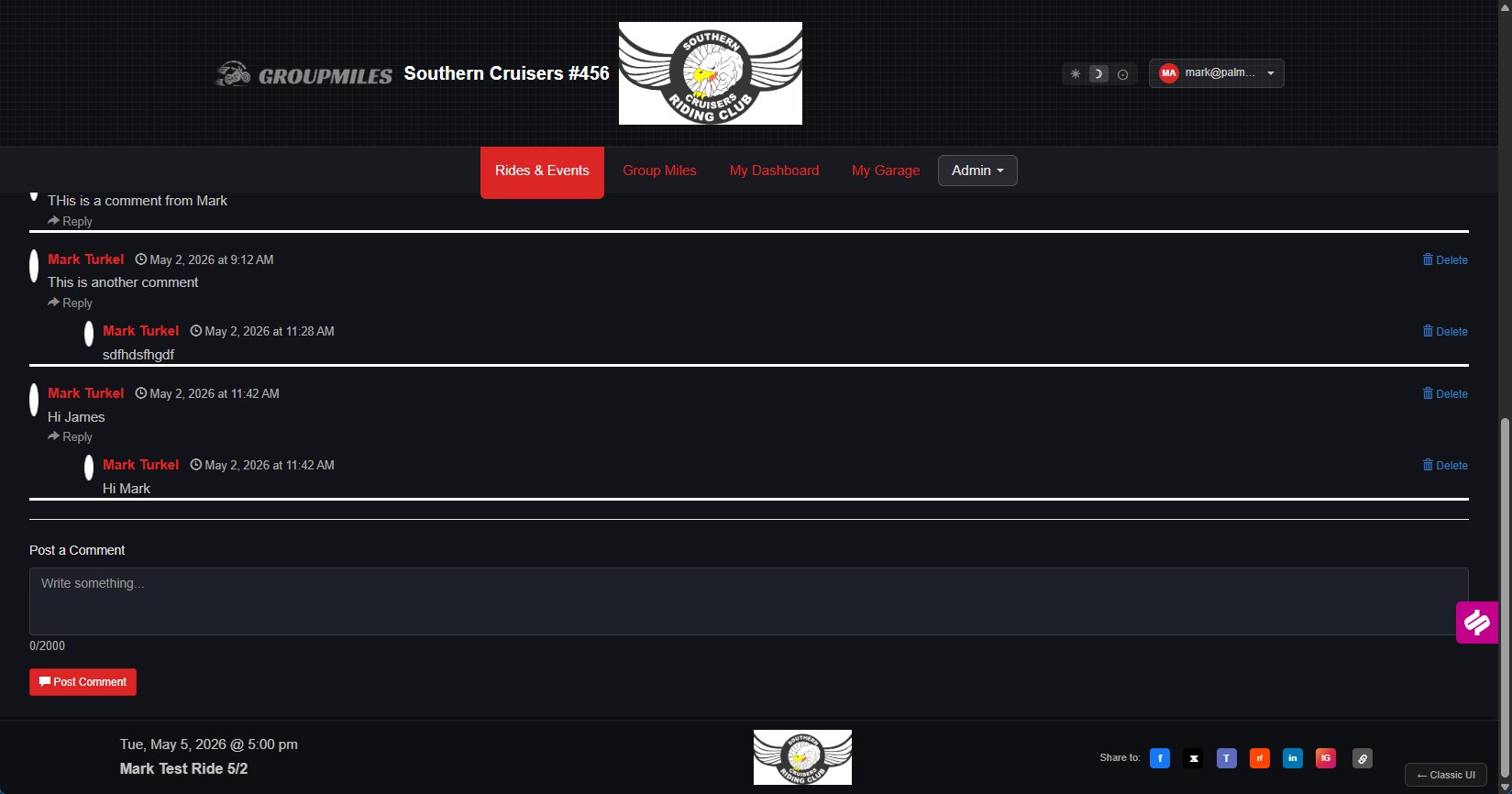
The Discussion Section
Keep the Conversation Going
πŸ’¬
Threaded Comments
Post comments and reply to others in a clean threaded format β€” just like a social feed, built for your club.
❓
Ask Questions Before
"Is there parking?" "What's the dress code?" Get answers right on the ride page.
πŸŽ‰
Celebrate After
Keep the good vibes going post-ride. Tag moments, thank the captain, share highlights.
Ride discussion
One Page. Everything.
Your Ride. Fully
Covered.
Details, attendees, photos, discussion β€” every ride page
tells the complete story of the event.
🏠  Next: My Dashboard β†’
01 / 06